

AU-IR Registration for Material Submission
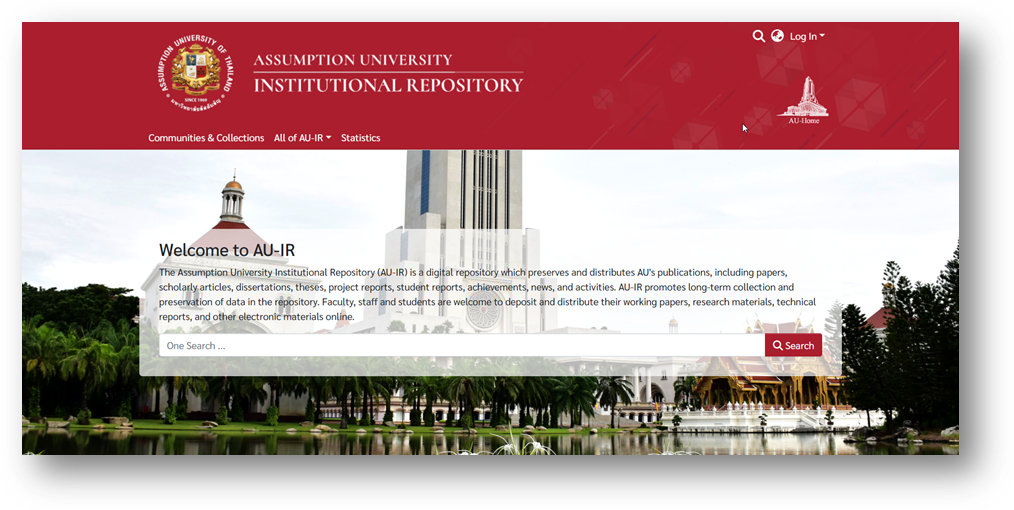
Step 1 — Access AU-IR
Begin by accessing the AU-IR system through one of the following channels:
-
Library Website: https://library.au.edu
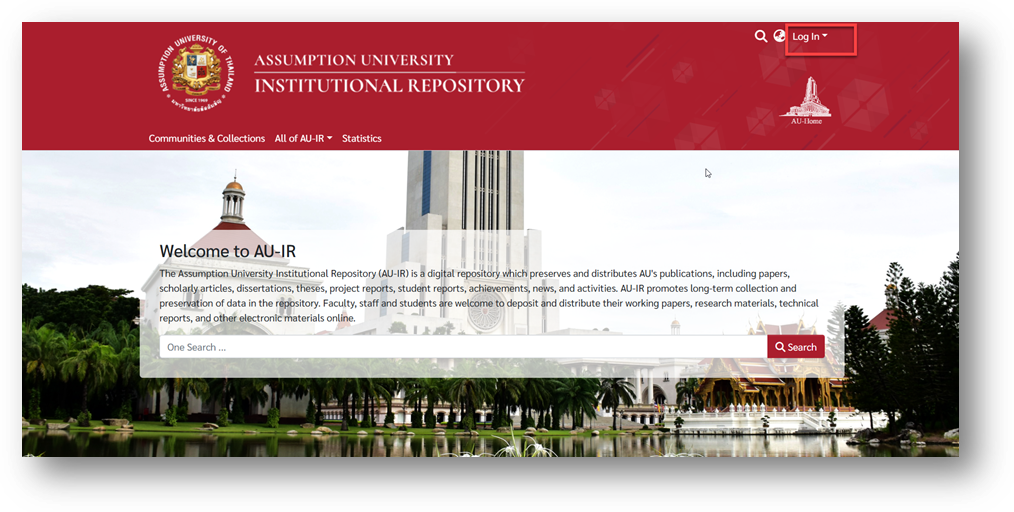
Step 2 — Log In
Click “Log In” at the top-right corner of the AU-IR homepage.
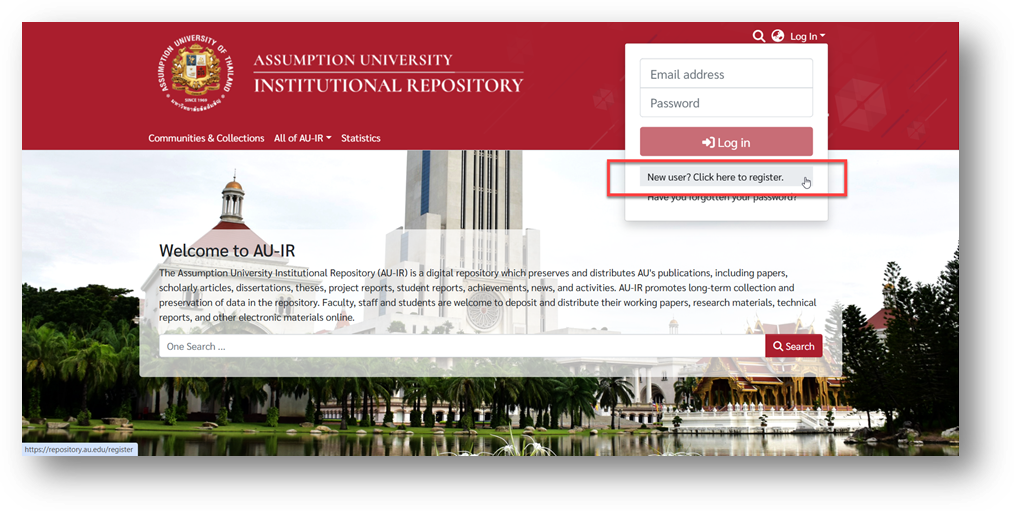
Step 3 — New User Registration
Select “New user? Click here to register.”
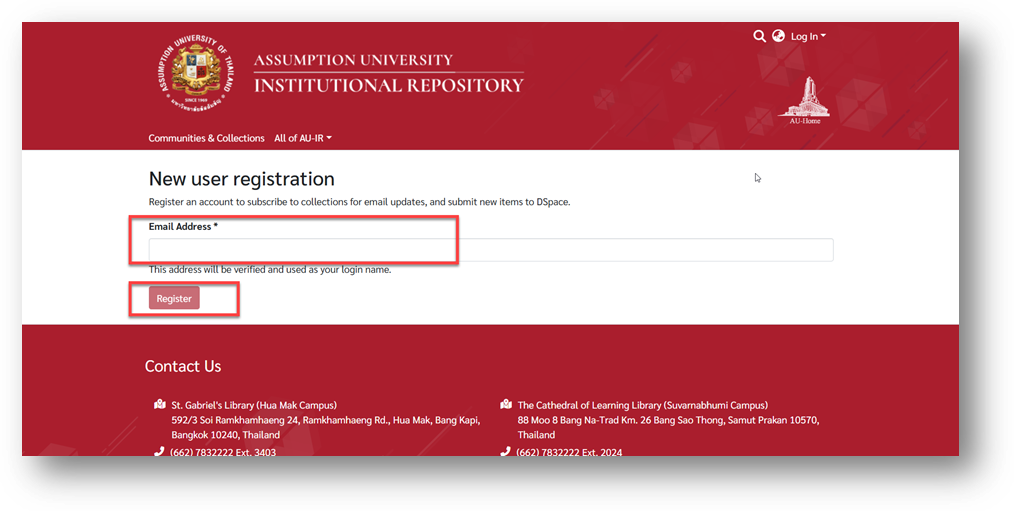
Step 4 — Enter Your AU Email
Type your AU email address (must end with @au.edu) and click Register.
Step 5 — Verify Your Email
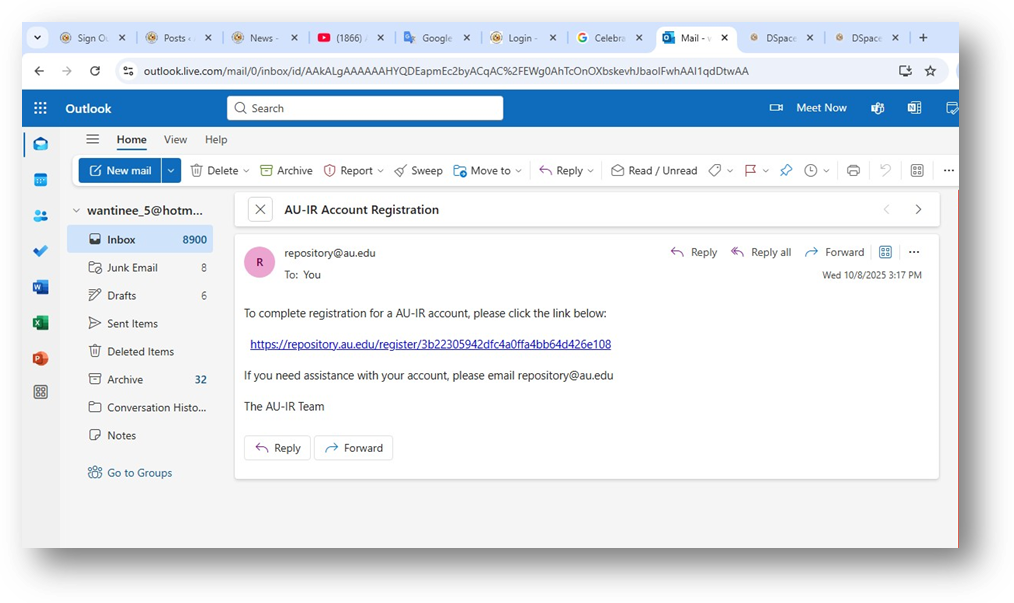
Check your inbox for the AU-IR Account Registration email and click the verification link.
Step 6 — Agree to Terms
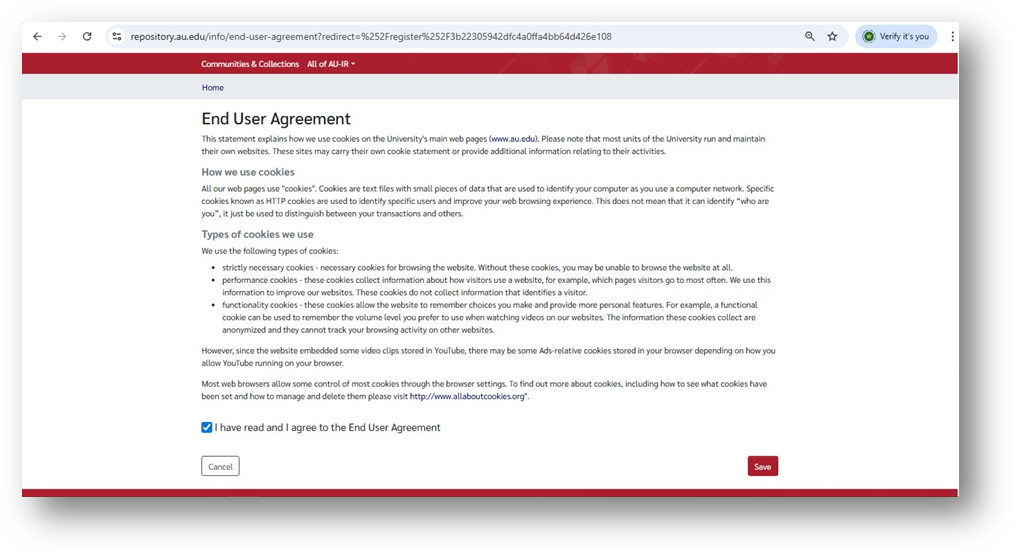
Tick the box “I have read and I agree to the End User Agreement”, then click Save.
Step 7 — Complete the Form
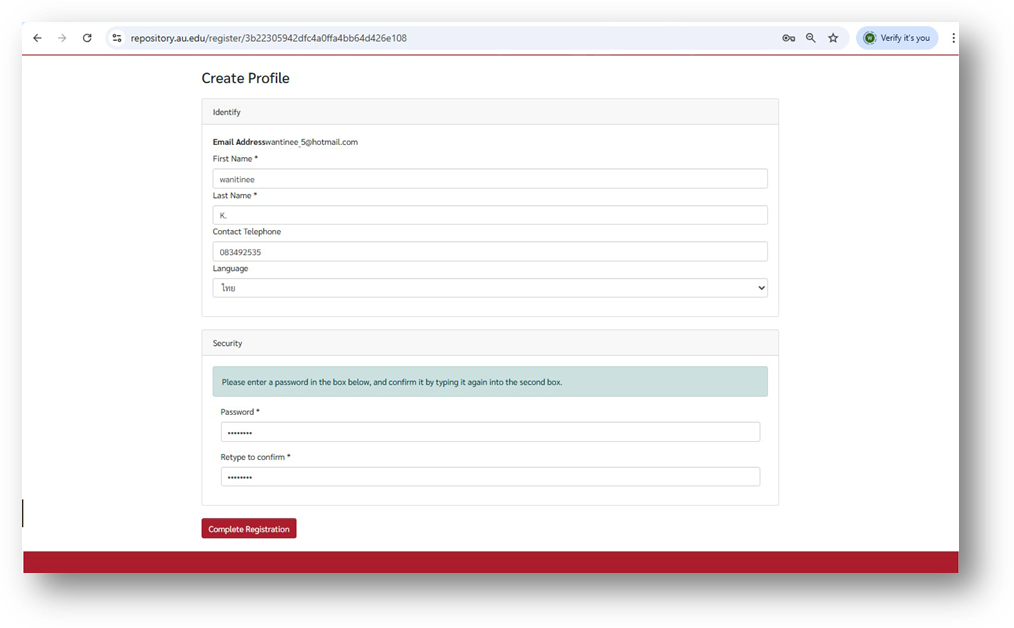
Fill in all required details and click Complete Registration.
Step 8 — Await Approval
✅ Your registration is complete!
Please wait for the system administrator to approve your account.
[Download the User Manual]